


ATTACK SHARK x AJAZZ AK832 Tastiera meccanica
- Share:
-

-

-

-


Technical Specifications


Tastiera a profilo basso
AK832PRO è innovativa, la tastiera meccanica più sottile sul mercato, grazie al telaio ultra-sottile traslucido e al nuovo switch corto progettato, che è il 40% più corto dello switch tradizionale, con uno spessore minimo di soli 19 mm. Come una tastiera a membrana, non necessita di poggiapolsi e l'uso prolungato non danneggerà il polso.

Connessione Tri Mode
AK832PRO offre diverse modalità di connessione, tra cui modalità wireless 2.4G, Bluetooth 5.1 e cavo USB C a spirale. Può connettersi fino a cinque dispositivi contemporaneamente e passare facilmente da uno all'altro, ideale per casa, ufficio, attività all'aperto e giochi casual.

Display TFT-LCD intelligente
AK832PRO è dotata di un innovativo display LCD intelligente personalizzabile. Il mini display molto divertente è perfetto da usare perché può mostrare data e ora, livello della batteria della tastiera, modalità di connessione, modalità luce o qualsiasi altra cosa desideri con impostazioni e programmazione.

Layout compatto al 75%
La tastiera compatta è la protagonista essenziale della scrivania di molti gamer o programmatori, un design compatto ti offrirà una migliore esperienza in un pacchetto più piccolo, senza compromessi nelle sue funzioni. Il layout a 81 tasti è più stretto rispetto a una tastiera full size, quindi si può muovere più rapidamente a sinistra e a destra e allo stesso tempo offre uno spazio operativo maggiore per accedere al mouse e ad altri dispositivi.

Tastiera con montaggio a guarnizione
AK832PRO è una tastiera meccanica con montaggio a guarnizione che offre un'esperienza di digitazione estremamente morbida e fluida. Il montaggio a guarnizione è un tipo di montaggio della tastiera, in cui non vengono praticati fori per le viti nella piastra degli switch, il che garantisce un profilo sonoro più pulito perché le guarnizioni ammortizzano l'urto di ogni pressione del tasto. La tastiera contiene anche schiuma nello strato inferiore per ridurre i suoni vuoti e migliorare la sensazione dei colpi di tastiera.
Batteria integrata
AK832PRO è una tastiera ricaricabile. Batteria al litio integrata da 2500mAh, supporta la ricarica durante l'uso. In modalità wireless, se non accendi la luce, puoi usarla fino a 100 ore, e puoi usarla per più di dieci ore se accendi la luce continuamente. Spegnere la modalità luce durante il giorno può estendere notevolmente il tempo di utilizzo.

20 modalità di luce RGB
AK832PRO ha 20 modalità di illuminazione RGB. FN+|Passa tra le diverse modalità, FN+↑/↓ regola la luminosità della luce, FN+← regola la direzione della luce, FN+→ cambia il colore della luce, FN+X spegne o accende la luce. Inoltre, puoi selezionare la modalità di illuminazione tramite lo schermo, FN+PGUP schermo a sinistra, FN+PGDN schermo a destra, FN+ENTER per confermare la selezione, FN+DEL per aprire l'animazione, FN+INS per chiudere lo schermo.

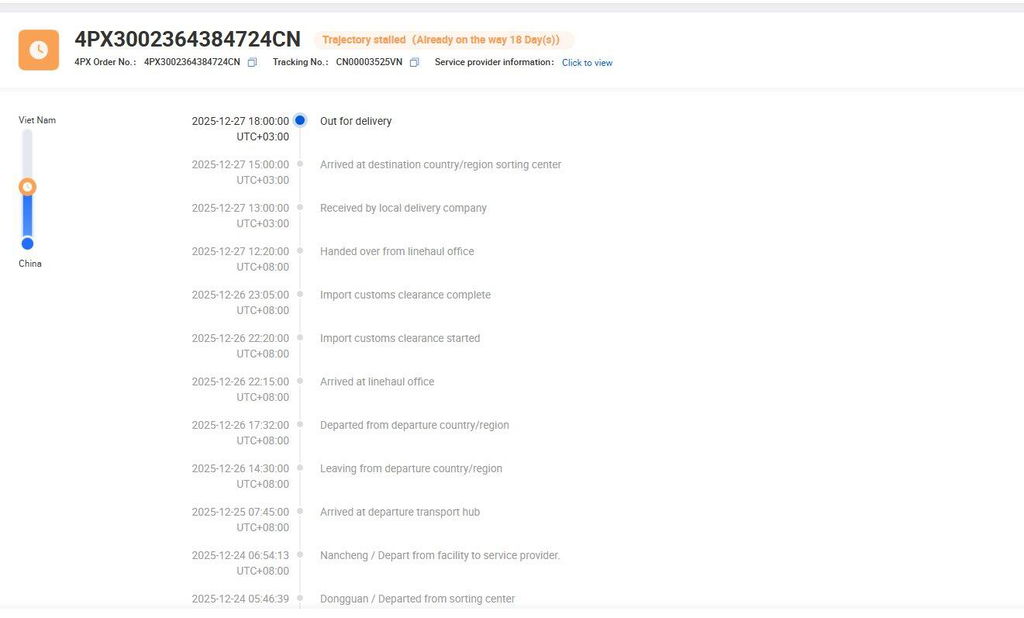
I ordered the keyboard, but after nearly one month, I still have not received it. Additionally, the support from the seller has been very slow and not helpful.
The keyboard is solid and the typing experience is good. The clicky keys aren’t all that clicky with just a hint of resistance and sound. The lcd screen would be useful but I can’t adjust it at all because every computer I plug it into tells me to plug the keyboard in…there is literally zero help online for how to resolve this issue
I love the feel of the keys, the size is perfect BUT it keeps typing two of some keys now and then and it's really beginning to get on my nerves. We need better drivers/firmware for it to address this. As a touch typist, this is truly annoying.
The keyboard is amazing. Pressing the keys is so satisfying. I would recommend this lovely keyboard to any computer enthusiast. It just feels so nice to type on.
Bought the AK832 keyboard with red switches, without the LCD screen (not the Pro version).
Delivery took almost two weeks as it was sent from China. Luckily I did not have to pay any extra taxes on arrival in the Netherlands.
Nice sturdy keyboard, but a problem for me was that in order to use the Home and End keys required pressing the Fn key.
A strange decision to make SCRLK and INS the default, which keys as far as I know are seldom used.
Used the "driver" software to remap the keys.
An advantage of this model is that it has two extra keys: PRTSC and SCRLK where the LCD screen is located on the PRO version.
If you want to change the switches, that will be problematic as these are soldered on the board.
The keycaps can be changed of course, sadly the standard keycaps are not shine through so the letters can be a bit hard to distinguish in the dark.