Un mouse da gioco può sembrare veloce sulla carta ma sentirsi diverso nelle partite reali. Alcuni mouse sono precisi e prevedibili, mentre altri sembrano leggermente ritardati, instabili o meno affidabili durante flick e micro-regolazioni. La ragione di solito si riduce a due concetti collegati: frequenza di polling e latenza wireless. Un mouse con frequenza di polling a 8K segnala il movimento più spesso, mentre un mouse da gioco wireless a bassa latenza necessita anche di un sensore potente, elaborazione veloce, trasmissione wireless stabile e controllo intelligente dell'alimentazione.
Cosa significa una frequenza di polling a 8K per un mouse da gioco?
La frequenza di polling descrive quanto spesso un mouse comunica la sua posizione al computer. È una delle specifiche più discusse nel design dei mouse da gioco esports moderni, specialmente con la diffusione dei monitor ad alto refresh rate.
Come funziona la frequenza di polling da 1K a 8K
Un mouse a 1KHz invia dati circa 1.000 volte al secondo. Un mouse a 4KHz invia dati circa 4.000 volte al secondo. Un mouse a 8KHz invia dati fino a 8.000 volte al secondo.
In termini semplici, una frequenza di polling più alta fornisce al PC aggiornamenti più frequenti sul movimento del mouse. Questo può rendere il movimento del cursore più fluido e ridurre i piccoli intervalli tra i report di movimento. Per i giocatori FPS, questo può aiutare nel tracciamento, nel cambio rapido del bersaglio e nelle correzioni minime vicino alla testa di un avversario.
Tuttavia, la frequenza di polling non è l'unico fattore. La sensazione finale dipende anche dalla qualità del sensore, dal firmware, dalla stabilità wireless, dalle prestazioni del PC, dal comportamento del motore di gioco e dal refresh rate del monitor.
Perché una frequenza di polling più alta può sembrare più fluida su monitor ad alto refresh rate
Una frequenza di polling più alta è più facile da notare su monitor ad alto refresh rate. Un display a 240Hz o 360Hz aggiorna lo schermo più frequentemente rispetto a un monitor standard a 60Hz, quindi può mostrare le differenze di input in modo più chiaro.
Questo non significa che ogni giocatore abbia bisogno di 8K. Per la navigazione casuale o giochi più lenti, 1K può ancora sembrare reattivo. Ma nei titoli FPS veloci, specialmente con un PC potente e un monitor ad alto refresh rate, una frequenza di polling più alta può far sembrare il movimento del mouse più continuo e immediato. Ecco perché le opzioni di mouse con frequenza di polling a 8K stanno diventando sempre più comuni nelle configurazioni di gioco competitive.

La latenza wireless è più della frequenza di polling
La frequenza di polling e la latenza wireless sono correlate, ma non sono la stessa cosa. Un mouse può avere una frequenza di polling elevata e comunque sembrare meno reattivo se il resto del sistema wireless non è ben progettato.
Latenza del clic, latenza del movimento e ritardo end-to-end
La latenza wireless include l'intera catena di risposta. Quando muovi o clicchi il mouse, avvengono diversi passaggi prima di vedere il risultato sullo schermo:
- Il sensore rileva il movimento.
- Il chip di controllo principale elabora il segnale.
- Il mouse invia i dati wireless al ricevitore.
- Il PC riceve ed elabora l'input.
- Il motore di gioco reagisce.
- Il monitor visualizza il frame aggiornato.
La latenza del clic si riferisce a quanto velocemente un clic viene registrato. La latenza del movimento indica quanto rapidamente il movimento diventa visibile. La latenza end-to-end copre l'intera catena dall'input fisico alla risposta sullo schermo.
Per i giocatori competitivi, tutto questo conta. Un mouse da gioco wireless a bassa latenza non dovrebbe solo inviare report frequentemente. Dovrebbe anche elaborare e trasmettere i dati in modo efficiente. Frequenze di polling più alte riducono direttamente il divario temporale tra i report del mouse, che è un modo misurabile per abbassare il ritardo end-to-end. [[3]](#__3)
Perché un Mouse da Gioco Wireless a Bassa Latenza Ha Bisogno di Più di 8K
Il polling 8K da solo non crea automaticamente un mouse da gioco veloce. Il mouse ha anche bisogno di un MCU potente, una connessione wireless stabile, un tracciamento preciso del sensore, un firmware efficiente e un ricevitore in grado di gestire dati ad alta frequenza in modo pulito.
Ecco perché i mouse di punta moderni si concentrano sul design completo della piattaforma. L'obiettivo non è solo aumentare il numero di polling, ma mantenere stabile il movimento, i clic e la trasmissione wireless durante il gioco reale.
Se il collegamento wireless è instabile o il chip non può elaborare i dati in modo efficiente, il giocatore potrebbe non percepire il vantaggio di un polling più elevato. Un mouse veloce necessita sia di un'alta frequenza di report che di un basso ritardo complessivo.
Quale Hardware Rende l'8K Wireless Più Stabile?
Un mouse wireless 8K potente dipende dalla sinergia hardware. Il sensore raccoglie i dati di movimento, l'MCU li elabora e il ricevitore mantiene la connessione. Se una parte è debole, l'intero sistema può risultare meno coerente.
Usa un MCU Potente per Elaborare Dati ad Alta Frequenza
L'MCU funziona come il cervello del mouse. Gestisce i dati del sensore, gli input dei clic, la comunicazione wireless, le modalità di polling, il controllo dell'alimentazione e il comportamento del firmware.
L'RS3 Ultra utilizza il chip di controllo principale Nordic54L15. Rispetto alle piattaforme wireless più vecchie, questo chip è progettato per offrire una maggiore capacità di elaborazione, un consumo energetico inferiore e una migliore stabilità wireless.
Per l'8K wireless, questo è importante perché il mouse deve gestire un flusso di dati molto più grande. Un MCU più potente può aiutare a mantenere stabile il reporting riducendo al contempo lo spreco di energia e l'accumulo di calore.
L'RS3 Ultra è progettato anche per supportare il polling duale 8K, inclusi 8K cablato e 8K wireless. Questo offre ai giocatori competitivi maggiore flessibilità a seconda della loro configurazione e delle esigenze della batteria.
Abbina il Sensore alla Piattaforma Wireless
Il sensore è la base del tracciamento del mouse. L'RS3 Ultra utilizza il sensore PixArt PAW3955MAX, un sensore di fascia alta progettato per mouse da gioco moderni ad alte prestazioni. Un mouse da gioco PAW3955MAX può supportare alta velocità di tracciamento, regolazione DPI fine e un controllo più preciso della distanza di sollevamento.
Queste caratteristiche sono importanti nei giochi FPS perché i giocatori spesso combinano flick veloci con piccole correzioni.
Ad esempio, i giocatori a bassa sensibilità possono fare ampi movimenti con il braccio e poi sollevare il mouse per resettare la posizione. Un sistema LOD raffinato aiuta a controllare come il mouse reagisce durante questi reset di sollevamento. L'RS3 Ultra supporta un sistema LOD preimpostato a 5 livelli, che offre ai giocatori più margine per regolare il comportamento sulla superficie tra tappetini in tessuto, rigidi o in vetro.
Il sensore supporta anche la regolazione DPI a 1 unità. Per Valorant, CS2, Apex e sparatutto simili, piccoli cambiamenti di sensibilità possono influenzare la memoria muscolare. La precisione DPI a livello hardware offre ai giocatori una regolazione più fine rispetto ai passaggi preimpostati ampi.
Il polling rate 8K migliora davvero la mira negli FPS?
Il polling rate 8K può migliorare la sensazione della mira negli FPS per alcuni giocatori, ma non rende automaticamente nessuno più preciso. Il vantaggio è più forte quando il giocatore usa già una configurazione competitiva e può notare piccole differenze negli input.
I giocatori hanno più probabilità di beneficiare dell'8K se:
- Giochi a FPS veloci.
- Usi un monitor a 240Hz, 360Hz o con frequenza di aggiornamento superiore.
- Hai un PC in grado di gestire un carico di polling più elevato.
- Ti interessa la micro-regolazione e la fluidità del tracciamento.
- Preferisci impostazioni competitive a bassa latenza.
Per giochi come Valorant o CS2, la mira si basa sulla coerenza. Un percorso di segnalazione più fluido può rendere il movimento più pulito durante flick, peek, controllo del rinculo e tracciamento del bersaglio. Il vantaggio non è una "precisione automatica", ma una migliore chiarezza dell'input.
Per i giocatori casual, 1K o 2K possono ancora sembrare perfettamente adeguati. Per i giocatori seri di FPS, 4K o 8K possono offrire una maggiore reattività quando il resto del sistema è pronto.
Miti comuni sui mouse da gioco 8K
I mouse da gioco con polling rate elevato sono spesso circondati da affermazioni esagerate. Alcune persone considerano l'8K un must per tutti, mentre altri lo scartano completamente. La verità è più pratica.
Mito 1: Nessuno può percepire la differenza tra 1K e 8K
Non tutti noteranno la differenza. Questa parte è vera. Ma è troppo semplice dire che nessuno può percepirla.
I giocatori con monitor ad alta frequenza di aggiornamento, PC potenti e abitudini di gioco FPS veloci sono più propensi a notare un movimento più fluido o una risposta più pulita. La differenza può essere sottile, ma i giocatori competitivi spesso tengono conto di cambiamenti sottili perché ripetono gli stessi movimenti di mira migliaia di volte.
Il punto chiave è questo: 8K è più utile per i giocatori che hanno già la configurazione e la sensibilità di abilità per sfruttarlo.
Mito 2: un polling alto rovina sempre la durata della batteria
Un polling più alto di solito consuma più energia rispetto a uno più basso. Ecco perché molti mouse wireless perdono rapidamente la batteria in modalità ad alte prestazioni.
Tuttavia, i chip wireless più recenti stanno migliorando questo compromesso. La piattaforma Nordic54L15 nel RS3 Ultra è progettata per una migliore efficienza, un consumo energetico inferiore e una riduzione del calore.
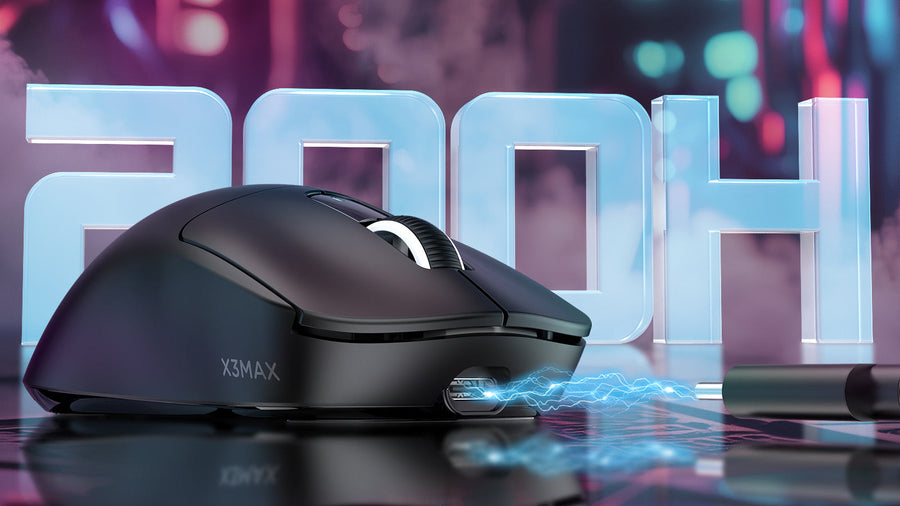
Secondo le specifiche dichiarate dal produttore, il RS3 Ultra può raggiungere fino a 800 ore di durata della batteria in modalità polling 1K. L'autonomia effettiva varierà in base al polling rate, all'illuminazione, alle abitudini d'uso e alle impostazioni. Tuttavia, il punto più ampio è chiaro: le piattaforme wireless moderne cercano di rendere più facile bilanciare alte prestazioni e lunga durata della batteria.
Come configurare correttamente un mouse con polling rate 8K
Un mouse 8K funziona al meglio quando il resto della tua configurazione può supportarlo. Prima di attivare la modalità di polling più alta, controlla il PC, il monitor, la posizione del ricevitore e le impostazioni di gioco.
Controlla prima le prestazioni del PC e del gioco
Un polling più alto può aumentare l'attività della CPU perché il sistema riceve più aggiornamenti del mouse ogni secondo. Se il tuo PC fatica già a mantenere frame rate stabili, il polling 8K potrebbe non risultare migliore.
Prima di usare 8K, verifica:
- Prestazioni della CPU
- Stabilità del frame rate del gioco
- Qualità della porta USB
- Carico del software in background
- Versione del firmware del mouse
- Compatibilità dei giochi con polling rate elevati
Se un gioco presenta scatti dopo aver abilitato 8K, prova 4K o 2K. Il polling rate migliore è quello che risulta fluido senza aggiungere instabilità al sistema.
Posiziona il ricevitore per una migliore stabilità wireless
La posizione del ricevitore conta più di quanto molti giocatori pensino. Un ricevitore wireless dovrebbe essere vicino al mouse e lontano da interferenze di segnale quando possibile.
Un ricevitore più grande può aiutare a migliorare la potenza del segnale, specialmente quando utilizza un'antenna più lunga o indicatori di stato più chiari. Il ricevitore shark-fin 8K del RS3 Ultra è progettato con una forma più grande e un'antenna più lunga, con l'obiettivo di migliorare la stabilità del segnale durante l'uso wireless ad alto tasso.
I suoi indicatori LED possono anche mostrare lo stato della connessione, il polling rate e il livello della batteria, aiutando i giocatori a controllare rapidamente la modalità di prestazione.
Scegli 1K, 4K o 8K in base all'uso
Non è necessario usare 8K tutto il tempo. Una configurazione più intelligente è passare da una modalità all'altra in base a ciò che stai facendo.
Usa 1K per la navigazione quotidiana, il lavoro e una lunga durata della batteria. Usa 2K o 4K per un equilibrio nelle prestazioni di gioco. Usa 8K per sessioni FPS competitive, specialmente con un monitor ad alto refresh rate e un PC in grado di gestire il tasso di input extra. Questo approccio flessibile aiuta i giocatori a ottenere prestazioni quando necessario senza sprecare batteria durante l'uso casuale.
Requisiti di sistema per il polling rate 8K nel gaming
Il polling 8K dipende anche dal fatto che il tuo PC e il sistema di visualizzazione possano elaborare e mostrare i dati di input extra in modo fluido. Senza la configurazione giusta, il vantaggio dell’8K può essere ridotto o addirittura non percepito nel gioco reale.
Quale livello di CPU serve per il polling 8K?
Polling rate più elevati aumentano il numero di segnali di input inviati alla CPU ogni secondo.
Per usare il polling 8K senza problemi, si consiglia una CPU stabile di fascia media-alta:
Minimo (esperienza accettabile):
- Intel i5-10400 / Ryzen 5 3600 o superiore
Consigliato (gaming FPS bilanciato):
- Intel i5-12400 / Ryzen 5 5600 o superiore
Ottimale (configurazione esports competitiva):
- Intel i7-12700K / Ryzen 7 5800X o superiore
Se la CPU è troppo debole o già molto carica dal gioco, il polling 8K può aggiungere un carico di elaborazione inutile senza migliorare la sensazione.
Quale frequenza di aggiornamento del monitor rende 8K percepibile?
Polling rate e frequenza di aggiornamento lavorano insieme.
Per percepire realmente il vantaggio del polling 8K:
- Livello minimo utilizzabile: monitor 144Hz
- Consigliato: monitor 240Hz
- Configurazione competitiva ottimale: 360Hz o superiore
Su display a bassa frequenza di aggiornamento (60Hz–120Hz), la differenza tra 1K e 8K è molto più difficile da percepire perché lo schermo non può mostrare aggiornamenti di movimento abbastanza velocemente.
Perché GPU e frame rate sono importanti?
Mentre il polling rate è l’input lato mouse, il frame rate è l’output lato gioco.
Per risultati ottimali:
- FPS minimi stabili: 120 FPS
- FPS consigliati: 200–240 FPS
- Gamma FPS competitiva: 240–360+ FPS
La stabilità del frame pacing è più importante del picco FPS. Se gli FPS fluttuano molto, i polling rate più alti sembreranno incoerenti.
Requisiti di configurazione USB e sistema
Anche piccoli dettagli hardware possono influenzare la stabilità del polling elevato:
- Usare una porta USB 3.0 o una porta USB 2.0 di alta qualità
- Evitare, se possibile, hub USB frontali
- Tenere il ricevitore vicino all’area del mousepad
- Ridurre il carico software in background (soprattutto overlay e strumenti di registrazione)
Una connessione USB stabile aiuta a prevenire micro-interruzioni a frequenze di polling elevate.
Dove si colloca il RS3 Ultra nella tendenza wireless 8K
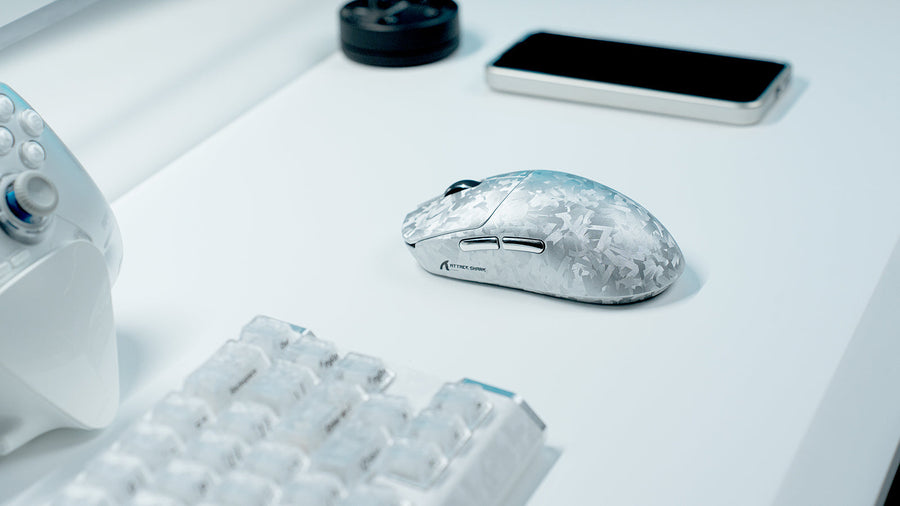
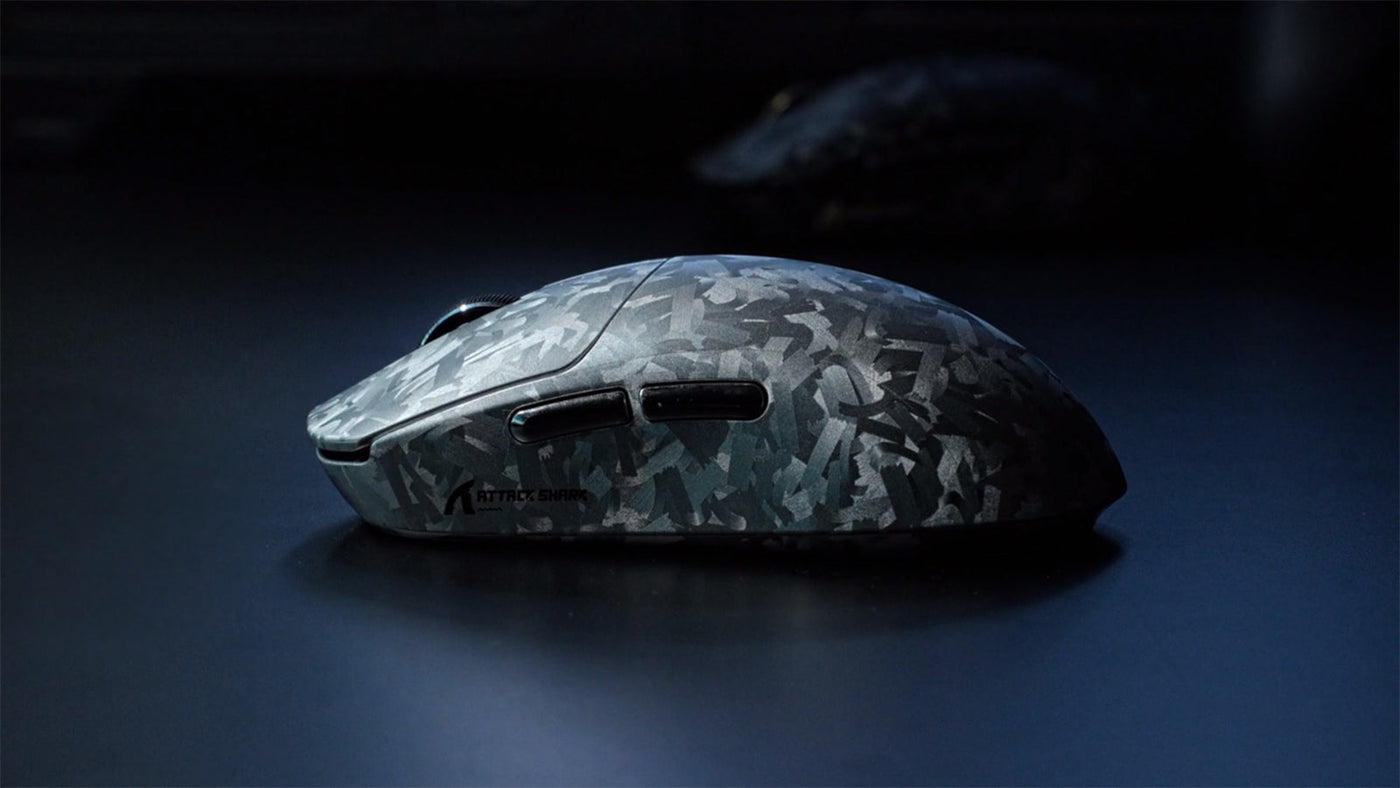
Il RS3 Ultra rappresenta la nuova generazione di mouse wireless per FPS combinando diverse tecnologie in un’unica piattaforma. Non è solo un mouse con polling rate 8K. Abbina il polling 8K a un sensore PAW3955MAX, MCU Nordic54L15, scocca in fibra di carbonio e design del ricevitore migliorato.
Caratteristiche principali del Key RS3 Ultra:
- Sensore PixArt PAW3955MAX
- Chip di controllo principale Nordic54L15
- Polling duale 8K, cablato e wireless
- Latenza ultra bassa del clic wireless
- Ricevitore Shark-fin 8K con indicatori di stato LED
- Regolazione DPI a 1 punto
- Controllo preset LOD a 5 livelli
- Scocca in fibra di carbonio completamente stampata a iniezione
- Texture personalizzata in carbonio forgiato
- Rivestimento fresco al tatto simile al vetro
- Microinterruttori ottici Omron con durata di 100 milioni di clic
- Design ergonomico per mano da media a grande
- Supporto per la personalizzazione del driver web
Per i giocatori che confrontano le migliori opzioni di mouse wireless per FPS, RS3 Ultra è più rilevante se vogliono una piattaforma wireless focalizzata sulle prestazioni con supporto per polling elevato e una costruzione leggera in fibra di carbonio.
La prevendita inizia il 25 giugno, con il lancio ufficiale previsto per il 6 luglio.

Scegli il mouse da gioco esports giusto per la tua configurazione
Il miglior mouse da gioco esports non è sempre quello con il numero più grande sulla scatola. È quello che si adatta alla tua mano, supporta la modalità di polling preferita, rimane stabile nei tuoi giochi e ti dà il controllo necessario sotto pressione.
Per i giocatori FPS competitivi, un mouse wireless a 8K vale la pena se usi già un monitor ad alto refresh rate, tieni alla riduzione del ritardo di input e vuoi un reporting del movimento più fluido. Per l’uso quotidiano, una modalità di polling più bassa può essere ancora la scelta più intelligente perché offre migliore durata della batteria e minore carico sul sistema.
Se vuoi un mouse wireless moderno per FPS basato su tracciamento PAW3955MAX, processore Nordic54L15, doppio polling a 8K e scocca in fibra di carbonio, l’Attack Shark RS3 Ultra è uno dei nuovi modelli da tenere d’occhio.
Domande frequenti
Il polling rate a 8K riduce la latenza wireless?
Il polling rate a 8K può ridurre il tempo tra i report del mouse, ma la latenza wireless dipende anche dal sensore, MCU, ricevitore, firmware e configurazione del PC. Aiuta soprattutto quando l’intera piattaforma del mouse è progettata per prestazioni a bassa latenza.
Il polling rate a 8K vale la pena per Valorant o CS2?
Può valerne la pena per i giocatori competitivi che usano monitor ad alto refresh rate e PC potenti. Può rendere il movimento più fluido e reattivo, specialmente durante flick e micro-regolazioni. I giocatori casual possono comunque essere soddisfatti con 1K o 2K.
Serve un monitor a 240Hz o 360Hz per il polling a 8K?
Non è strettamente necessario, ma i monitor ad alto refresh rate rendono più facile vedere e percepire il vantaggio di un polling rate più elevato. Su display a refresh rate più basso, la differenza può essere meno evidente.
Il polling rate a 8K consuma più batteria?
Di solito, sì. Polling rate più elevati richiedono report più frequenti, il che può aumentare il consumo energetico. I chip wireless più recenti possono ridurre l’impatto, ma le modalità di polling più basse sono ancora migliori per la massima durata della batteria.
Cosa rende veloce un mouse da gioco wireless a bassa latenza?
Un mouse da gioco wireless veloce necessita di un sensore potente, un MCU efficiente, un ricevitore stabile, un firmware ottimizzato e una buona connessione wireless. Il polling rate aiuta, ma è solo una parte della latenza totale.
PAW3955MAX è migliore per i giochi FPS?
PAW3955MAX è progettato per il tracciamento ad alte prestazioni, la regolazione fine del DPI e una forte compatibilità con le superfici. Queste caratteristiche sono utili per i giocatori FPS che tengono a flick, stabilità del tracciamento, controllo del lift-off e regolazione della sensibilità.